
Create a sender
The address shown in the campaign's "From:", with name, email and where replies go.
The sender is who appears as the author of the email in your contact's inbox, for example Ana da Sua Empresa <ana@suaempresa.com.br>. The same sender can be used in one, several or all contact sources of the organization.
How to create one
- Verify the domain first (see Verify your company domain). Senders can only use a verified domain.
- In the menu, open Senders (Administration area) and click New sender.
- Fill in the name the contact will see and the email.
- If you want replies to go to another address (for example, sales), fill in Reply-to.
- If your company has its own sending provider, choose which one the sender uses. Otherwise it goes out through Hermod's sending, which is ready to use.
- Check the sources where the sender can be used — one, several or all (Select all shortcut).
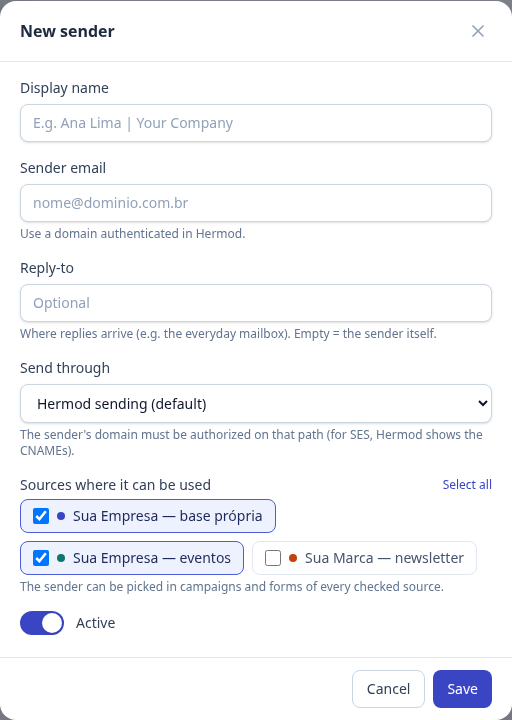
Sources
Each address is registered only once in the organization and works in the checked sources. To use the same sender in another base, open Edit and check that source — no need to register it again.
A source can only be removed from the sender if no unfinished campaign or signup form of that source is using it. Campaigns already sent keep the sender in their history.
In the campaign
When building the campaign, pick the sender in the Setup step. It can be different for each campaign.