No export, no import
Hermod reads contacts from the source for every campaign. Fixed an address in the ERP? It counts on the next send.
Integration · Dolibarr
Hermod reads customers, prospects and contacts through Dolibarr's own API, builds the audience with your categories and sends at the pace Gmail and Outlook accept. Whoever unsubscribes is flagged in the ERP.
How it works
In Dolibarr, enable the REST API module and generate a key for an integration user.
In Hermod, under Sources, enter the Dolibarr address and the key. The connection test checks it right away.
Company and contact categories, customer or prospect, company type, city and country.
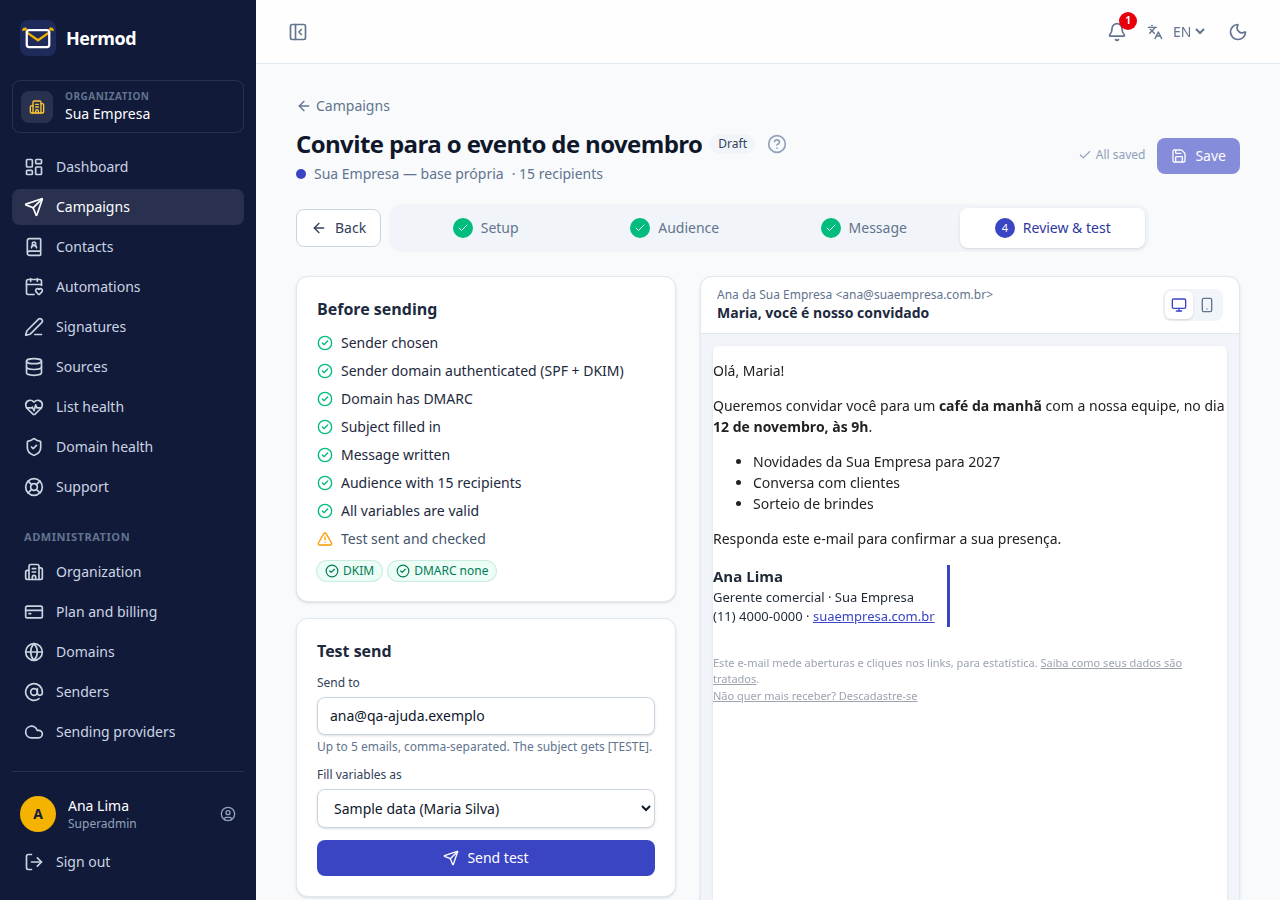
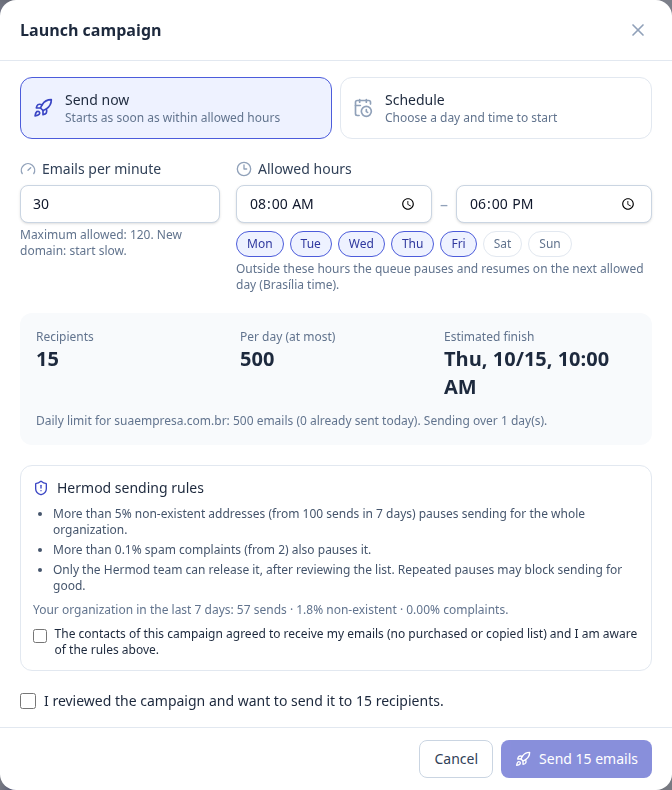
List checked before sending, pace per provider and the result for each contact.
What changes
Hermod reads contacts from the source for every campaign. Fixed an address in the ERP? It counts on the next send.
Include or exclude company and contact categories and combine them with customer, prospect, city, country and creation date.
Whoever opts out is flagged "do not email" in Dolibarr and stays out of future campaigns.
Sends, clicks and unsubscribes can be logged in each contact's agenda. Your sales team sees it all without leaving the ERP.
Domains that no longer exist, typos, disposable addresses and earlier bounces are left out, with the reason.
Campaigns go out through Hermod, signed with your domain and at the right pace, never through the server that sends your quotes and invoices.
On screen
Frequently asked questions
No. Hermod uses the REST API that ships with Dolibarr: just enable the module and generate a key for an integration user. Your Dolibarr address needs HTTPS.
Read third parties and contacts, read categories and edit contacts (to save unsubscribes). For the agenda history, create and read events. No delete, export or invoice access.
No. Dolibarr remains the official database: Hermod reads contacts through the API when it builds each campaign, with no spreadsheet and no second database to maintain.
It is stored encrypted in Hermod and never shown again. An administrator chooses which team members can use each source.
EMailing works for small sends. For volume, Hermod adds what is missing: list cleaning, pace per provider, domain authentication, one-click unsubscribe and per-contact reports.
You pay for what you send, not for contacts: from R$ 19 a month for 1,000 emails, with unlimited contacts and every feature on every plan. Start with a 14-day free trial, up to 200 emails, no card.
Other integrations

Create a free account, connect your source and send your first campaign today. 14 days, up to 200 emails, no card.