
Contact sources: own list, Dolibarr and WordPress
Where campaign contacts come from and how to connect Dolibarr or your WordPress newsletter.
A source is where Hermod takes campaign contacts from. There are three kinds:
| Source | What it is |
|---|---|
| Own list | Contacts stored in Hermod itself. It comes ready: it's where imported spreadsheets and form sign-ups go. |
| Dolibarr | Contacts and companies from your Dolibarr ERP, read through the Dolibarr API. |
| WordPress | Your website's newsletter subscribers (SendPress), read through the Hermod Connector plugin. |
With Dolibarr and WordPress, contacts stay registered there: Hermod reads the source when it builds each campaign's audience. You don't need to migrate anything.
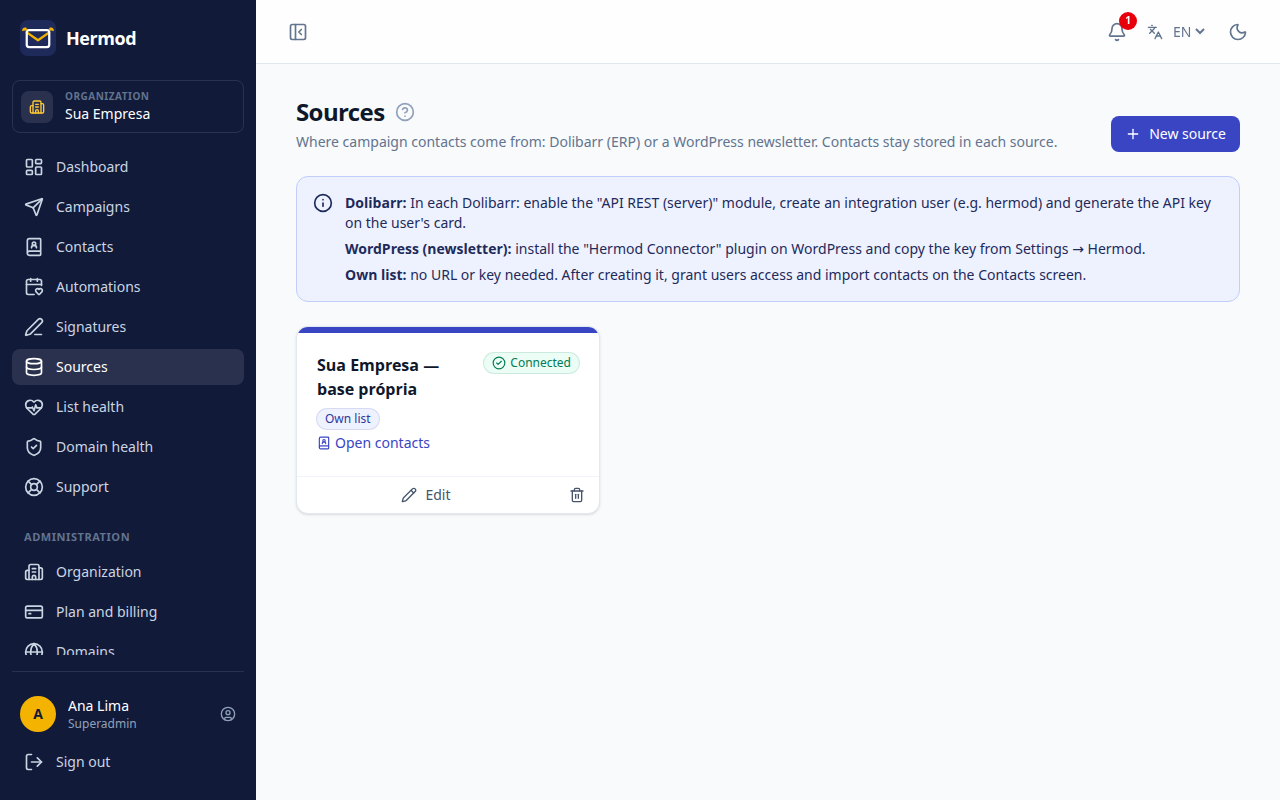
Connect Dolibarr
- In Dolibarr, enable the API REST (server) module.
- Create an integration user (for example,
hermod) and generate the API key on their record. - In Hermod, open Sources, click New source and choose Dolibarr.
- Enter the Dolibarr address (HTTPS only, without
/apiat the end) and the key, and click Test connection.
The key is stored encrypted in Hermod and is never shown again.
Connect WordPress
- In WordPress, install the Hermod Connector plugin.
- Copy the key in Settings → Hermod.
- In Hermod, open Sources, click New source, choose WordPress and enter the site address and the key.
Unsubscribes and who can use each source
- When someone unsubscribes from a campaign, it applies to that campaign's source. Hermod also records the unsubscribe at the origin: in Dolibarr, the contact is marked "do not email"; in WordPress, as unsubscribed from the newsletter.
- An admin chooses which team members can use each source. Regular users only see the sources enabled for them.