
Organization, team and permissions
How to invite people, what each role can do, limits, API keys, the audit log and closing the account.
The organization is your company inside Hermod: contact sources, domains, campaigns and team live in it. The Organization screen (Administration area) brings together the company data, the team, sending limits and API keys.
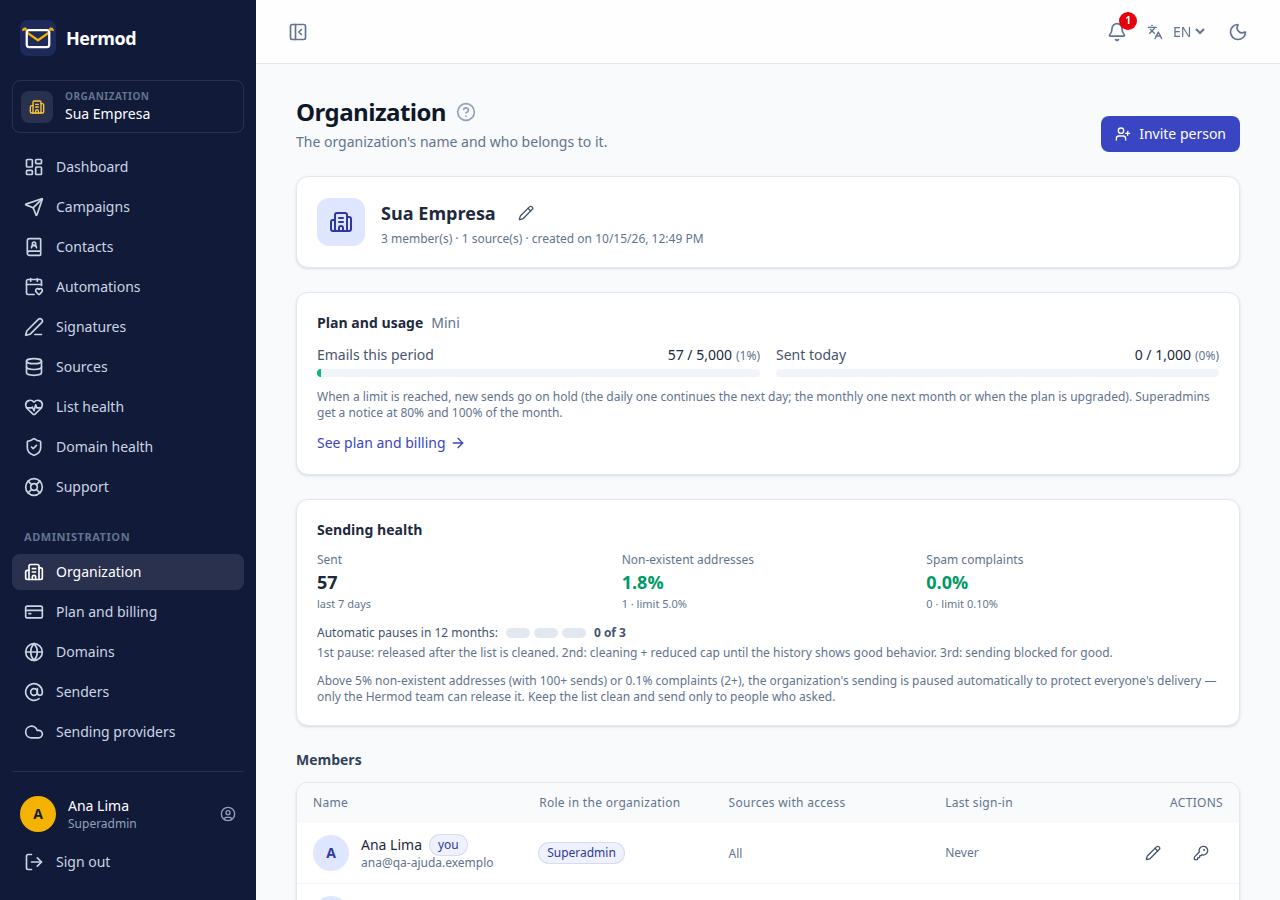
Invite people
- In Organization, click Invite person.
- Enter name, email and role.
- The person receives an email to create a password (the invitation is valid for 7 days).
Roles
| Role | What they can do |
|---|---|
| Superadmin | Everything, including the Block list, Sending providers, the organization name, the subscription (subscribe, change, cancel) and closing the account. |
| Admin | Day-to-day work: sources, domains, senders, regular members, API keys, audit log and viewing the plan. |
| User | Campaigns and contacts of the sources enabled for them. |
An admin chooses which sources each user can use. Give each person only the access they need.
Sending limits
The screen shows the organization's daily and monthly sending caps. A new account starts with a low daily cap, which the Hermod team raises once it knows your usage. See Sending rules.
API keys
To integrate another system with Hermod (for example, creating contacts or sending campaigns from code), create an API key. The key is shown only once; keep it somewhere safe and delete the ones you no longer use.
Audit log
The Audit log records everything that was done: who, what and when. Filter by person, action or period to check sends, configuration changes and logins. When the Hermod team enters your account to give support, that is recorded too.
Close the account
The superadmin can close the account in Organization → Close account, with confirmation. The account becomes read-only and export-only for a while (30 days on a paid plan, 7 on trial) and then the data is deleted. Before closing, cancel the subscription in Plan and billing.