
Open a support ticket
How to ask the Hermod team for help, send screenshots and follow the reply.
Didn't find the answer in the help center? Open a ticket: the Hermod team replies inside the system and lets you know by email.
Open
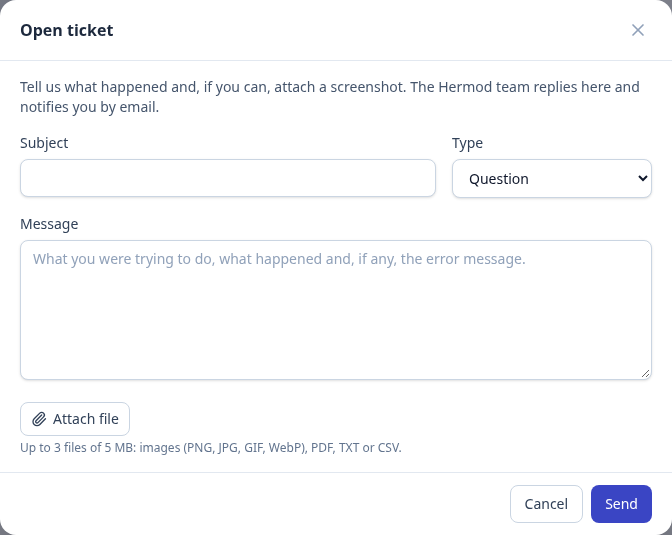
- In the menu, click Support and then Open ticket. You can also open one from the ? button on any screen: the ticket already says where you came from.
- Choose the topic (question, sending, billing, account or other) and write a short title.
- Tell us what you were trying to do, what happened and, if there is one, the error message.
- If you can, attach a screenshot: up to 3 files of 5 MB (images, PDF, TXT or CSV).
Follow up
- When the team replies, you get an email with the answer and the ticket link.
- Reply in the ticket itself, in Hermod. Replies to the notification email don't reach the team.
- If the problem is solved, close the ticket. If you need help again, just reply: it reopens.
Each person sees the tickets they opened; the organization's admins see all of the organization's tickets.