
My profile, password and Hermod notices
How to change your name, language and password, recover access and receive (or not) product updates by email.
In My profile (at the bottom of the menu, on your name) you change your personal data. It applies to every organization you're in.
Name and language
Change your name and the system language (Portuguese, English or Spanish) and click Save. You can also switch the language quickly at the top of the screen.
Password
Use Change password. The password needs at least 10 characters, with letters and numbers. When you change it, your other open sessions are ended.
Forgot your password? On the sign-in screen, click Forgot my password and enter your email. You'll get a link valid for 1 hour that can only be used once.
Notices from the Hermod team
The Hermod team publishes notices in the bell at the top of the screen: scheduled maintenance, important changes and product updates. The number on the bell shows how many you haven't read; the Notices screen keeps the history.
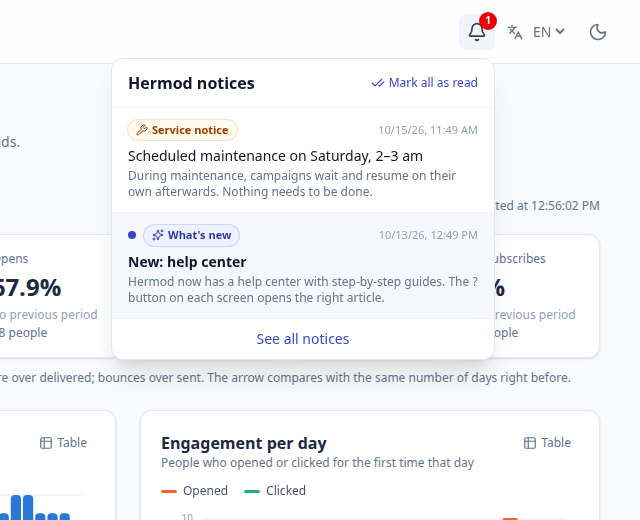
- Service notices (maintenance, incident, rule change) also show in a yellow bar at the top until you read them, and may arrive by email.
- Product updates (new features, tips) may arrive by email. If you don't want them, turn off Receive Hermod product updates by email in My profile or click "Turn off" in the email footer. Service notices still arrive, because they affect your sending.