
Brand & images
Company logo, colors, font, social media and address for email templates, plus the image library and saved templates.
Brand & images, in the menu, holds your company's look in emails. The block editor's ready-made templates start with it: the logo at the top, buttons and links in your color, social media and the address in the footer.
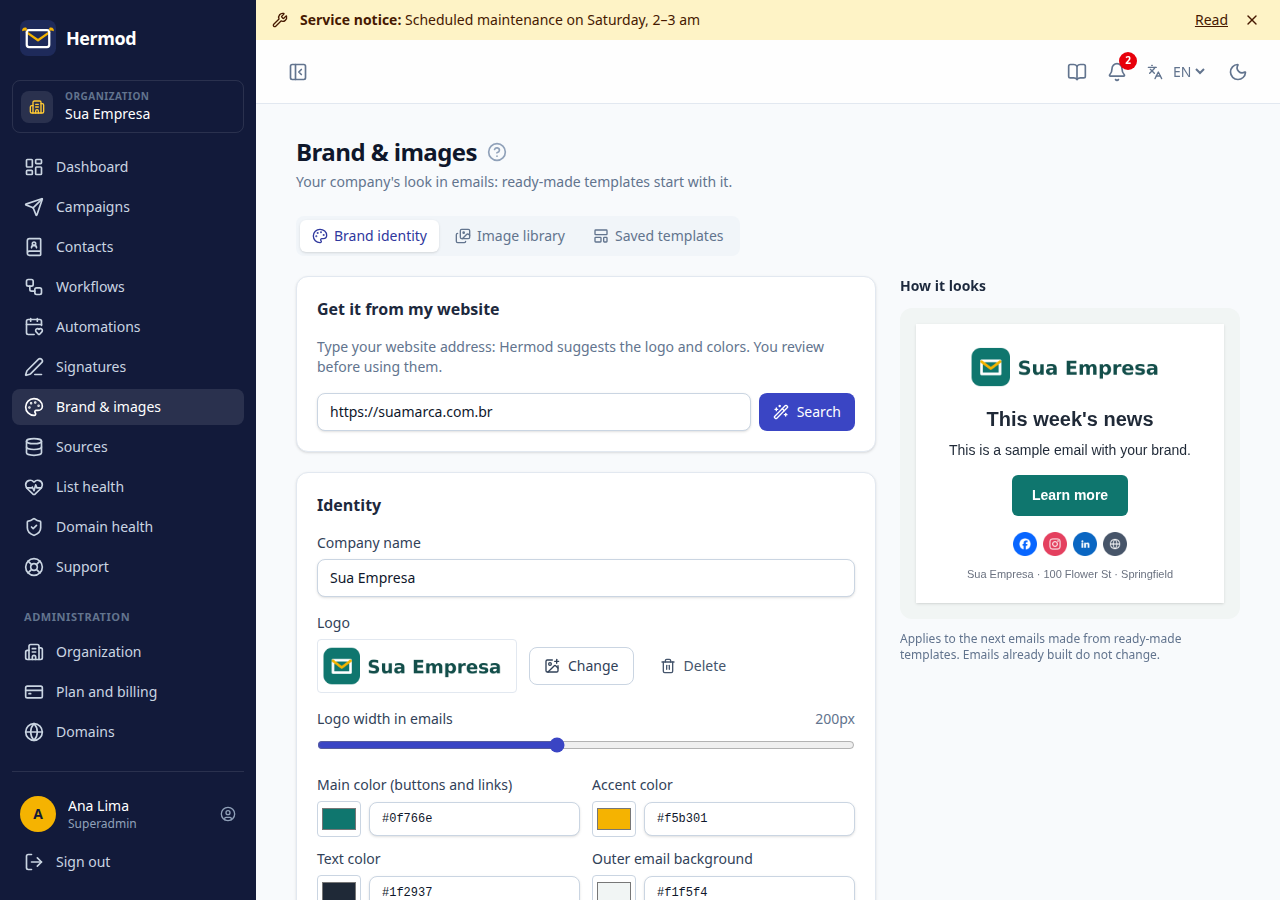
Brand identity
- Get it from my website: type the website address and click Search. Hermod suggests the logo and colors it found. Choose the logo and click the colors: the 1st click sets the main one, the 2nd the accent.
- Check the company name, the logo (and its width in emails), the colors and the font.
- Fill in the company's social media and the footer address. Showing the address builds trust and is good email marketing practice.
- Click Save. The preview on the side shows how it looks.
Only organization admins can change the brand. It applies to the next emails made from ready-made templates and to workflows created from templates. Emails already built do not change.
Image library
Every image uploaded by the team stays here to reuse: search by name, alternative text, crop and delete. The same library shows up when you choose an image in the block editor.
- Hermod resizes to at most 1200 px wide, removes camera data (such as location) and compresses. PNG with transparency stays PNG.
- An image in use in an email or template does not really disappear when deleted: it leaves the library, but keeps showing in the emails that already use it.
- The free image bank (Pixabay: photos, illustrations and vectors; plus drawings in the brand color from Open Doodles and Open Peeps) brings the image to the library with the author's credit.
Saved templates
The templates your team saved in the block editor (Save as template button). Here you can rename and delete them. Deleting a template does not change the emails made with it.